

Documentation Index
Fetch the complete documentation index at: https://lindyai-docs-update-claude-guidance.mintlify.app/llms.txt
Use this file to discover all available pages before exploring further.
Start Every Day Knowing What Matters
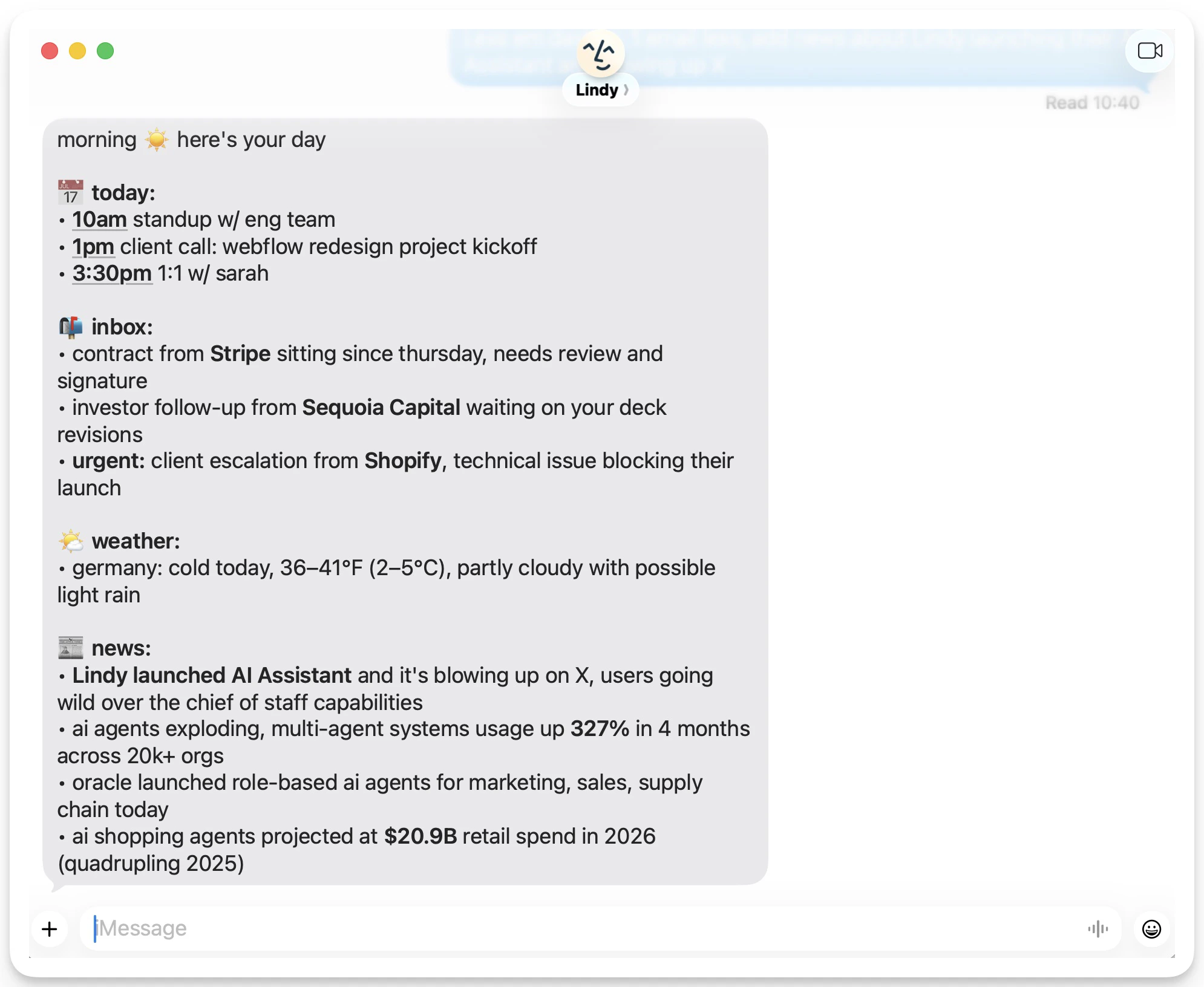
Lindy can send you a daily brief on anything you prompt it to cover. Tell it exactly what you want: your schedule, who you’re meeting, industry news, priorities. It lands in your inbox every morning before your day starts.
What You Can Include
Tell Lindy what to cover in your brief. Common topics:- Your schedule: every meeting on your calendar with times and attendees
- Meeting context: who you’re meeting and what you’ve discussed before
- Industry news: headlines and updates relevant to your work
- Priorities: a summary of open tasks, emails, or follow-ups
- Weather: local forecast for the day
“Brief me about my day, who I’m meeting with, and news regarding my industry.”Lindy reads your calendar, pulls relevant context, and delivers a clean summary without you having to ask.
What It Looks Like
How You Receive It
- Email: lands in your inbox each morning
- SMS / iMessage: sent directly to your phone
How to Set It Up
Go to Meetings in your Lindy settings and scroll down to Daily Brief to configure your brief.
Write your prompt
Describe what you want Lindy to cover each morning. Be as specific as you like — topics, format, level of detail.
Set your delivery time
Choose when the brief arrives. Most people set it 30–60 minutes before their workday starts.
Next Steps
Meeting Prep
Automatic briefings before each meeting
Meeting Notes
How Lindy records and summarizes your meetings